Exploded view drawings: what they are, and how to draw one
An exploded view shows an assembly pulled apart along the lines it goes together, so every part can be seen and named. Here is what makes a good one, and the quickest ways to make one from a 3D model.
2 min read3 sources
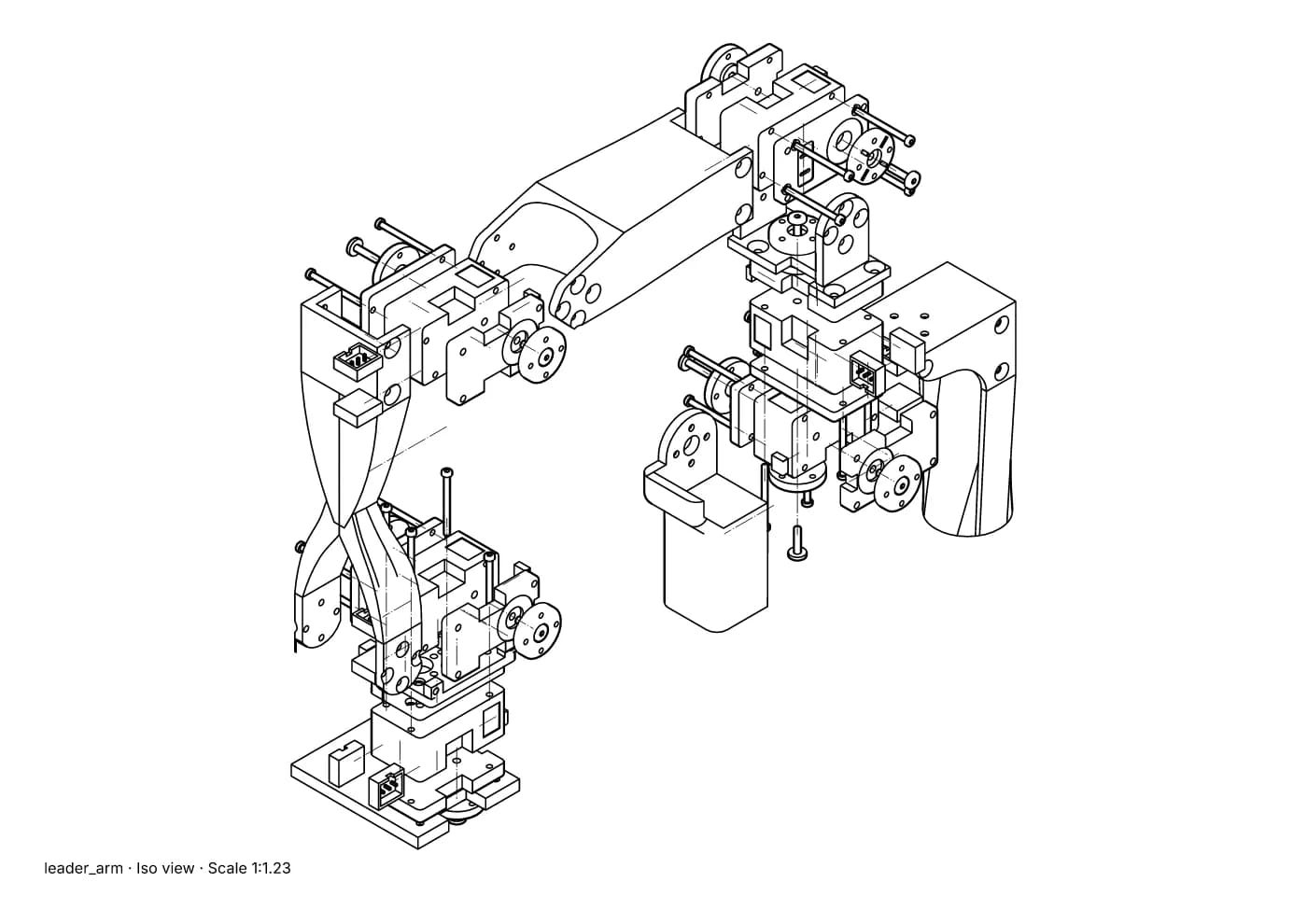
Fig. 1 · leader_arm.step · exploded iso · Illustration style · 90 of 91 placements moved · A4 1:1.23
An exploded view of a small robot arm: each part moved out along the way it assembles, with thin trail lines back to where it sits. Leader arm of Alexander Koch's low-cost robot arm. Model © 2024 Alexander Koch, MIT licence; servo and frame models by Galaxy Technology.
What an exploded view is for
- Assembly instructions: each step shows the parts it adds, moved out just far enough to see where they go.
- Parts lists and spares: every part visible and numbered with a balloon, so a number on the page matches a line in the table and an order code.
- Service manuals: what has to come off, and in what order, to reach the part that needs replacing.
- Sales and product pages: a clear picture of what is inside, without a photograph of a product that may not exist yet.
The conventions that make one readable
- 01
Move parts along their assembly axis
A screw comes out along its own axis, a lid lifts straight up, a shaft slides out of its bore. A part moved sideways no longer shows where it goes.
- 02
Keep the order
Parts stay in the order they assemble: the first part fitted sits closest, the last furthest out. The reader can then build from the picture alone.
- 03
Draw trail lines
Thin chain or dashed lines from each part back to where it fits, so the eye can follow it home. They must read differently from the part edges.
- 04
Move parts just far enough
Enough that nothing overlaps; no further, or the drawing grows and the parts lose their relation to each other.
- 05
Number with balloons
One balloon per distinct part, the same number for every copy of it, matching the parts list. Keep the numbers when the design is revised.
- 06
Choose the view
Usually an isometric or a similar three-quarter view, so the three main directions all show. Hidden lines are normally left out: in an exploded view they add clutter rather than information.
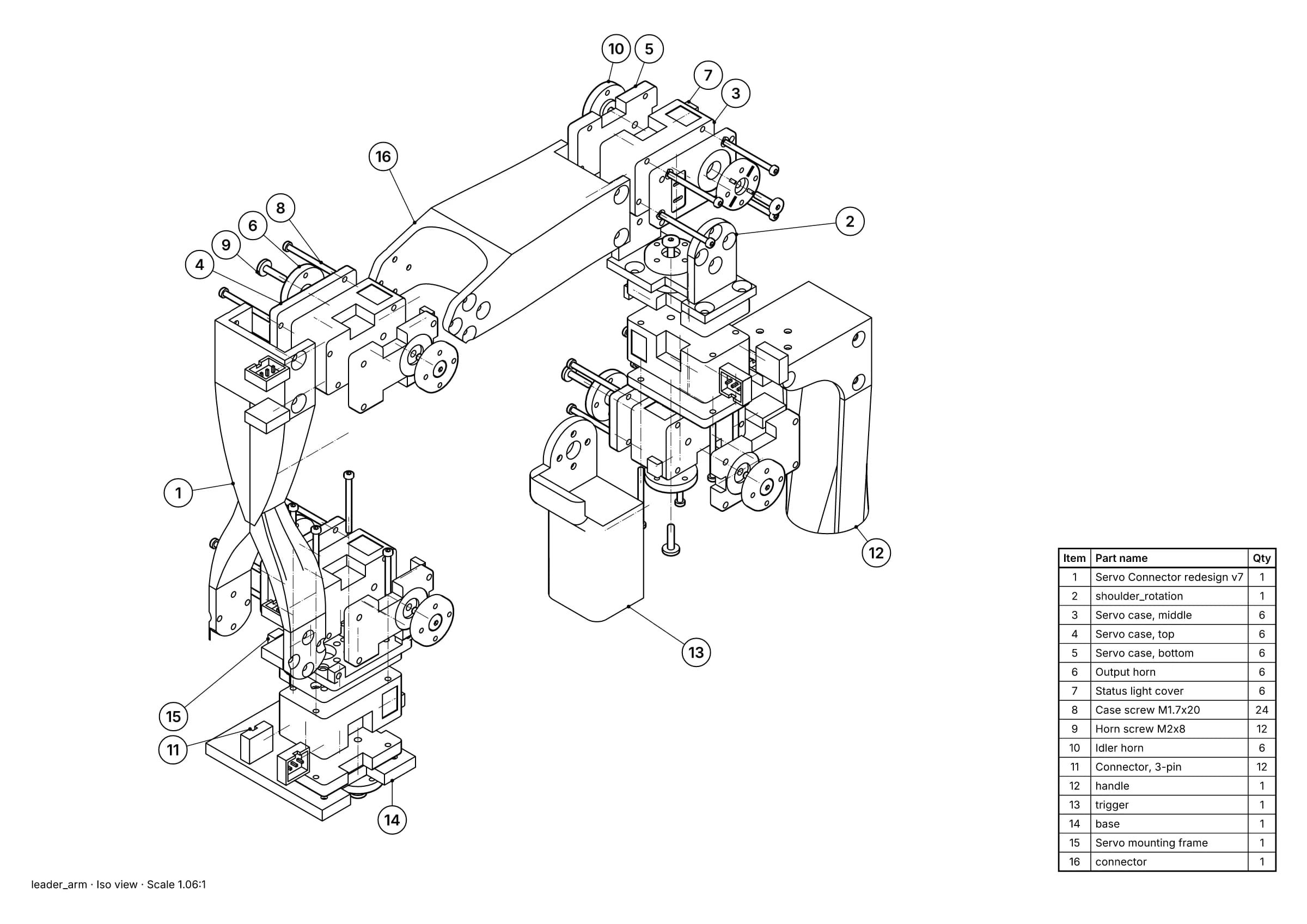
Fig. 2 · leader_arm.step · 16 balloons · 16 items · A3
The same assembly as an illustrated parts page: balloons on every part and the parts list beside them. Leader arm of Alexander Koch's low-cost robot arm. Model © 2024 Alexander Koch, MIT licence; servo and frame models by Galaxy Technology.
How to make one
By hand it means drawing every part, in the right place, in perspective, and redrawing when the design changes. It is how technical illustrators worked for decades, and it is why the job was slow and expensive.
In a CAD program you record explode steps in the assembly and place that exploded state on a drawing sheet. Each program does it its own way; see exploded views in SOLIDWORKS, Fusion, Inventor and Onshape.
“You create exploded views by selecting and dragging parts in the graphics area, creating one or more explode steps.”
“Use the Animation workspace to create exploded views and to animate parts and assemblies.”
From a STEP file, when you don't have the CAD program or the original model: see how to make an exploded view from a STEP file.
Make it from your STEP file
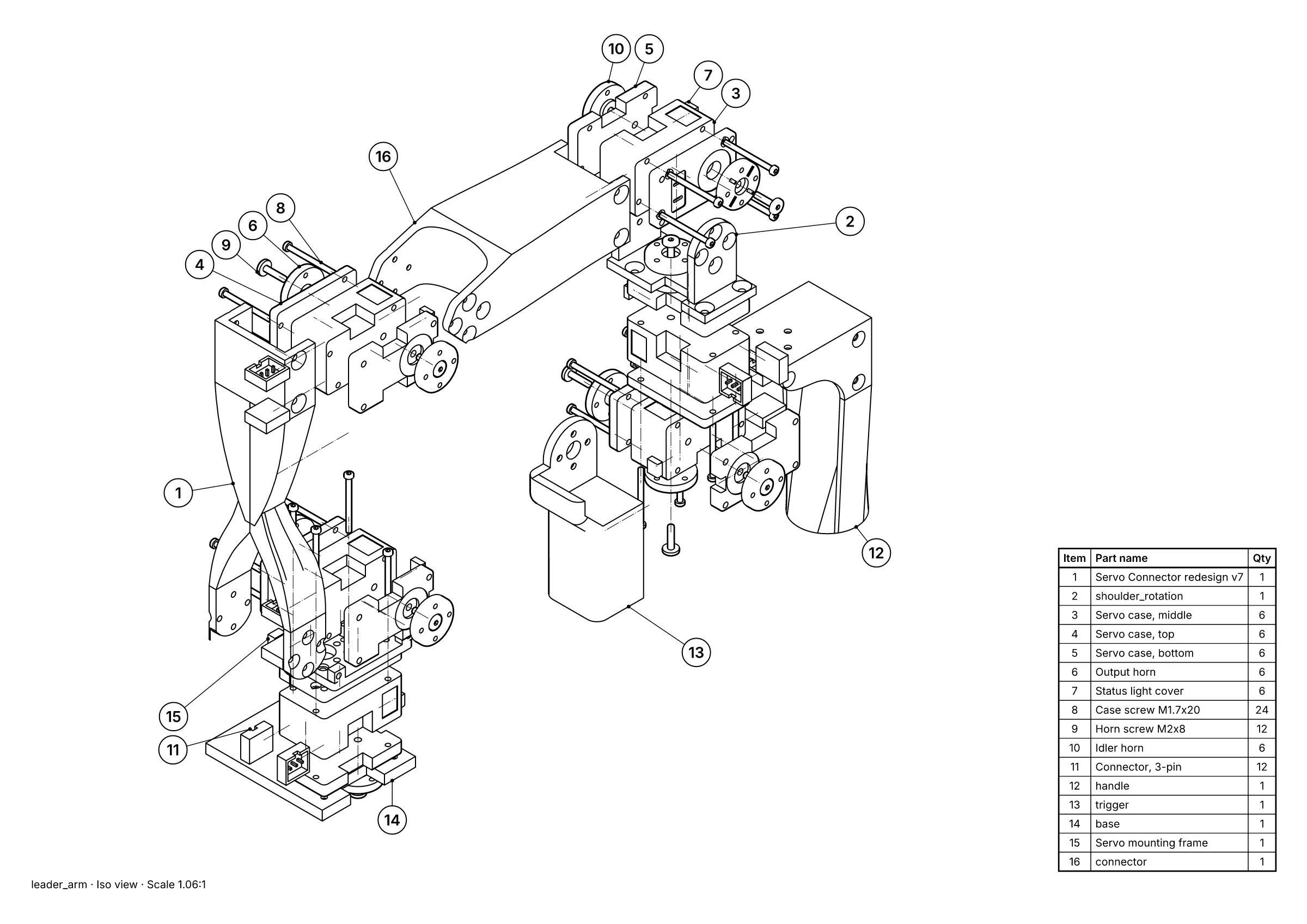 A parts page: exploded view, 16 balloons and the parts list, placed for you.
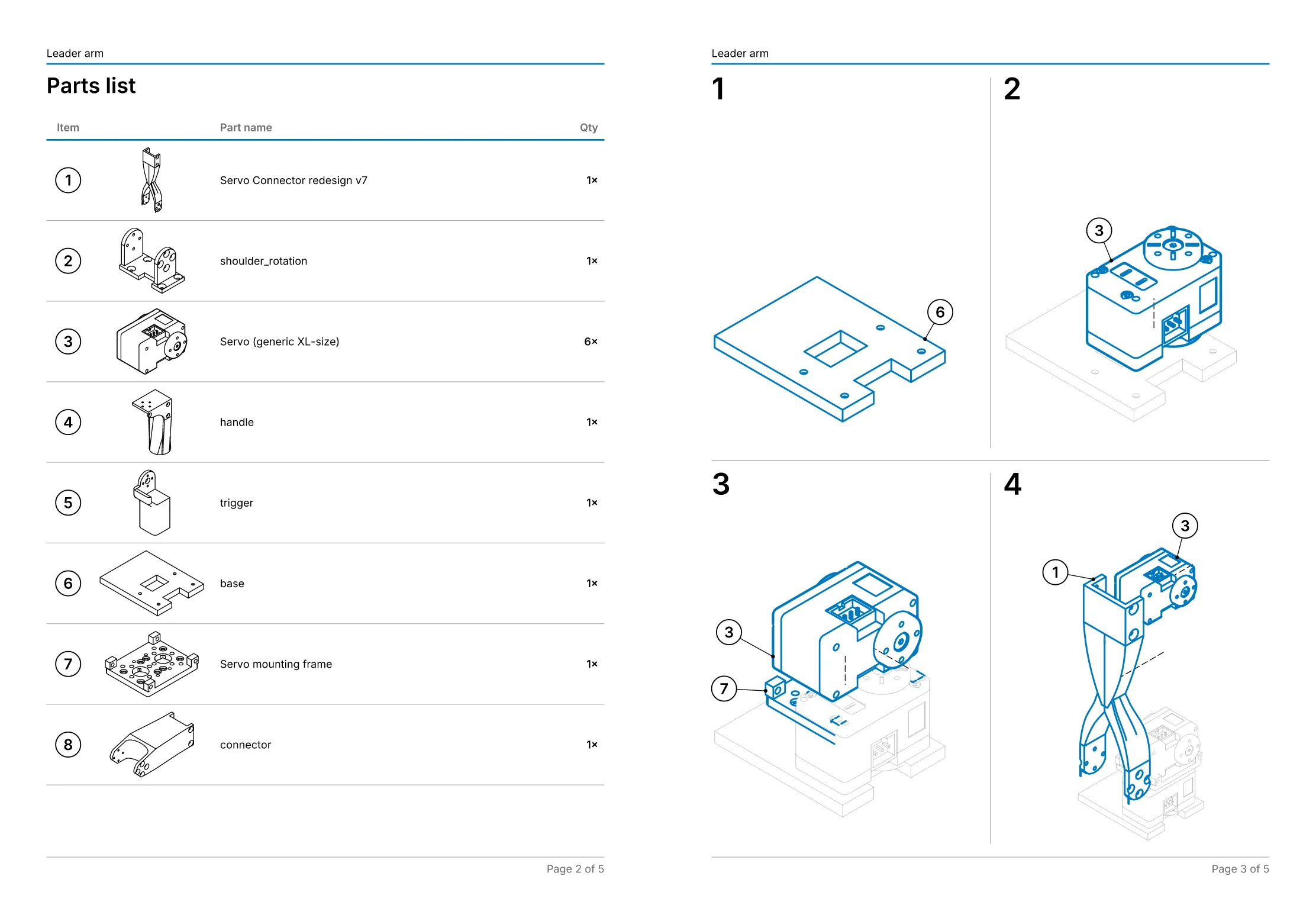 An assembly manual: 11 steps on 5 pages, worked out from the explosion.
- Free, in the studio. Exact hidden-line drawings and exploded views of up to 250 parts, as SVG, DXF, PDF or PNG, with no account.
- Pro, £49 a month per editor. Balloons and parts lists, step-by-step assembly manuals as PDF, your own title block and logo, and drawings that follow the CAD when it changes. Just one job? Project pass: Pro for 30 days, £79 once, with nothing to cancel.
- Or we draw it for you, from £150. Send the STEP file and we draw one view free first, so you can judge it before you pay anything. Drawings done for you.
Sources
- 01Creating Exploded Views (Assemblies), 2025, SOLIDWORKS Help (Dassault Systèmes). Read 1 November 2026.
- 02Animation overview, Autodesk Fusion Help. Read 1 November 2026.
- 03Exploded Views, Onshape Help (PTC). Read 1 November 2026.