Visual work instructions from your CAD model
The slow part of a work instruction is the pictures. Lineplate draws them from the assembly's STEP file: the steps worked out from the model, each step's parts picked out, balloons that match the parts list, laid out as pages ready to print or put on a screen.
What it does
- Proposes the order of the steps from the way the assembly comes apart. You can merge, split and reorder them.
- Draws every step from the CAD geometry: the parts the step adds highlighted, what's already built drawn normally or greyed back.
- Numbers the parts with balloons that match a parts list with a picture of each part.
- Lays out the pages: a cover, the parts list, one, two, four or six steps a page, and your own text pages, with your company name, logo and colour.
- Exports a PDF to print, a print PDF in CMYK, and a single web page for a screen at the station or your own site.
- When the CAD model changes, opens the new STEP file over the old and carries the steps, numbers and balloons across, so you redraw rather than restart.
What the pages look like
These are from the example manual, made from a robot arm's STEP file without redrawing anything by hand.
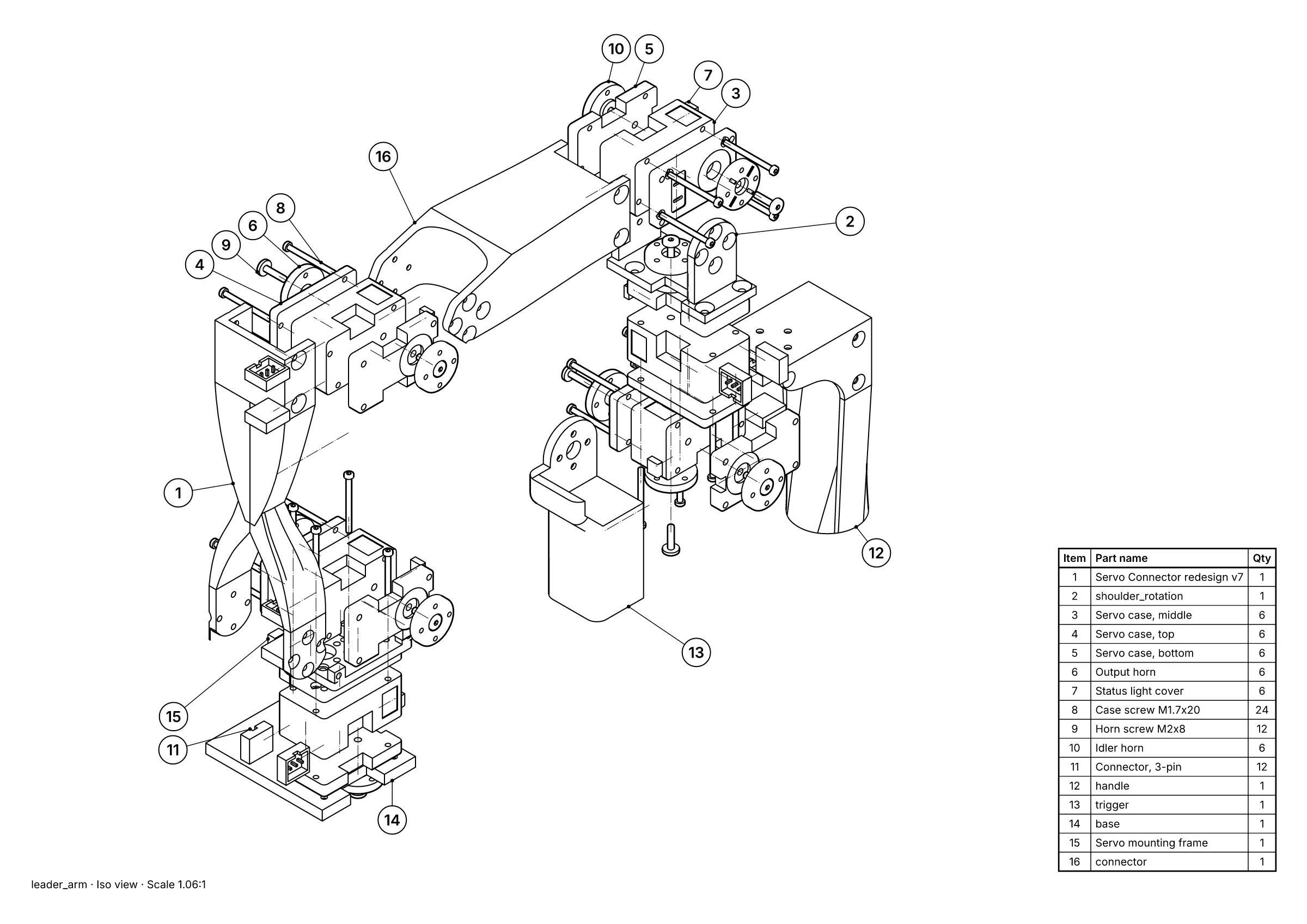 A parts page: exploded view, 16 balloons and the parts list, placed for you.
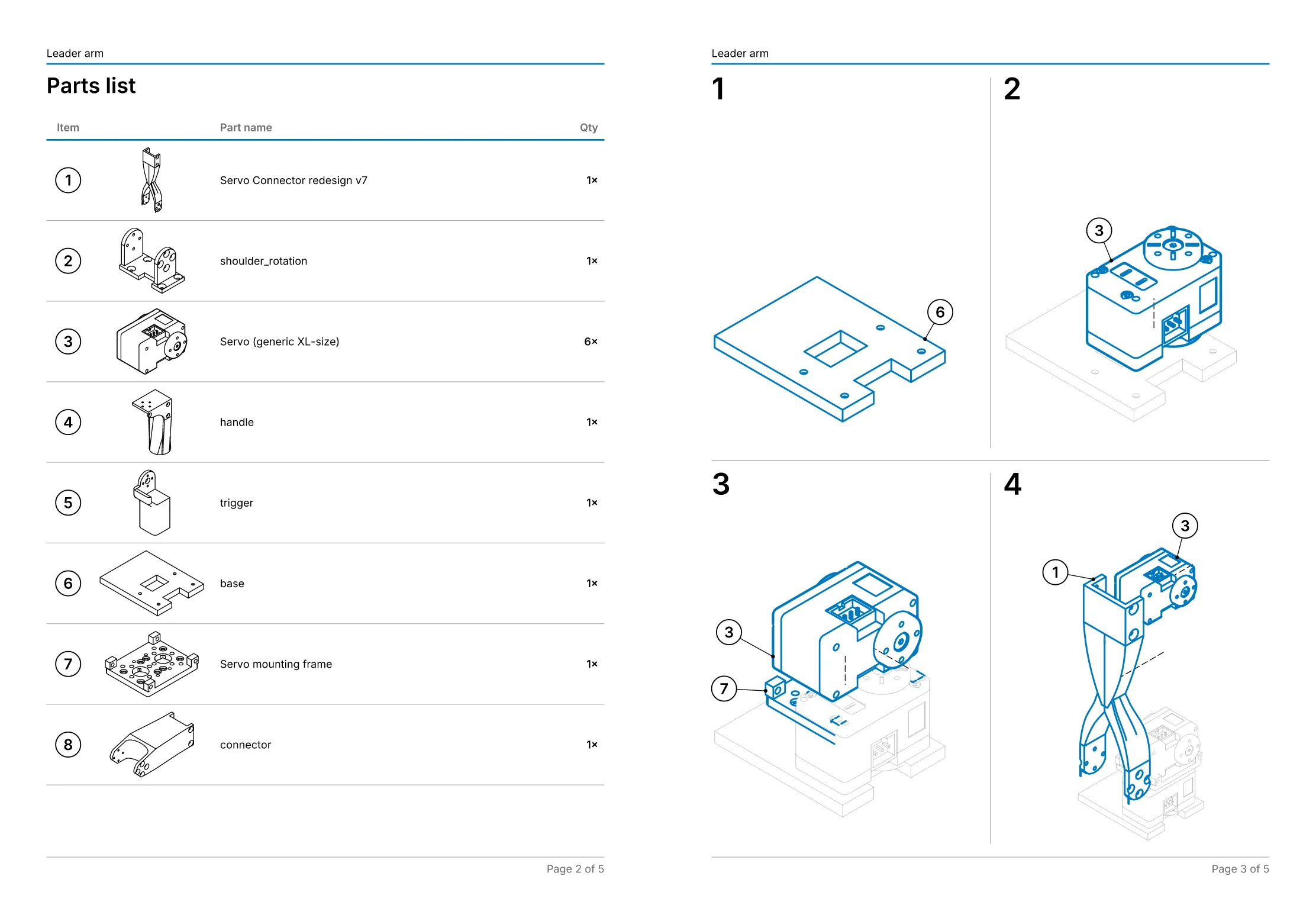 An assembly manual: 11 steps on 5 pages, worked out from the explosion.
- Free, in the studio. Exact hidden-line drawings and exploded views of up to 250 parts, as SVG, DXF, PDF or PNG, with no account.
- Pro, £49 a month per editor. Balloons and parts lists, step-by-step assembly manuals as PDF, your own title block and logo, and drawings that follow the CAD when it changes. Just one job? Project pass: Pro for 30 days, £79 once, with nothing to cancel.
- Or we draw it for you, from £150. Send the STEP file and we draw one view free first, so you can judge it before you pay anything. Drawings done for you.
What it isn't
Lineplate makes the instructions: the pictures and the pages. It isn't a work-instruction management system. It doesn't send instructions to tablets on the line, collect operators' sign-offs, or track approvals and training. If you already have one of those, export the PDF or the web page from Lineplate and put it in. If you write instructions in Word, the free work instruction template has the control block, steps, checks and sign-off, with spaces for these pictures.
What it costs
- Pro is £49 a month per editor, with a 14-day free trial. Step-by-step manuals, balloons, parts lists, brand templates and revision updates are all in it.
- One product to document? A project pass is Pro for 30 days, £79 paid once, with nothing to cancel.
- No time to do it yourself? We draw it for you, from £150, and draw one view free first.
Your CAD files stay in your browser: the studio never uploads them. Security and your files says exactly what is and isn't sent.