Free online IGES (IGS) file viewer
Open an IGES or IGS file in your browser and turn it around in 3D. It's free, there's no account to make, and the file is never uploaded.
What you can do with it
- Orbit, pan and zoom, or jump to the front, top, right or isometric view.
- Browse the parts, find them by name where the file names them, and hide them to see inside.
- Open IGES (.iges, .igs), STEP (.step, .stp) and BREP (.brep) files.
What else your STEP file can become
Viewing is the start. The same file makes exact drawings, parts pages and assembly manuals. These are from the example manual.
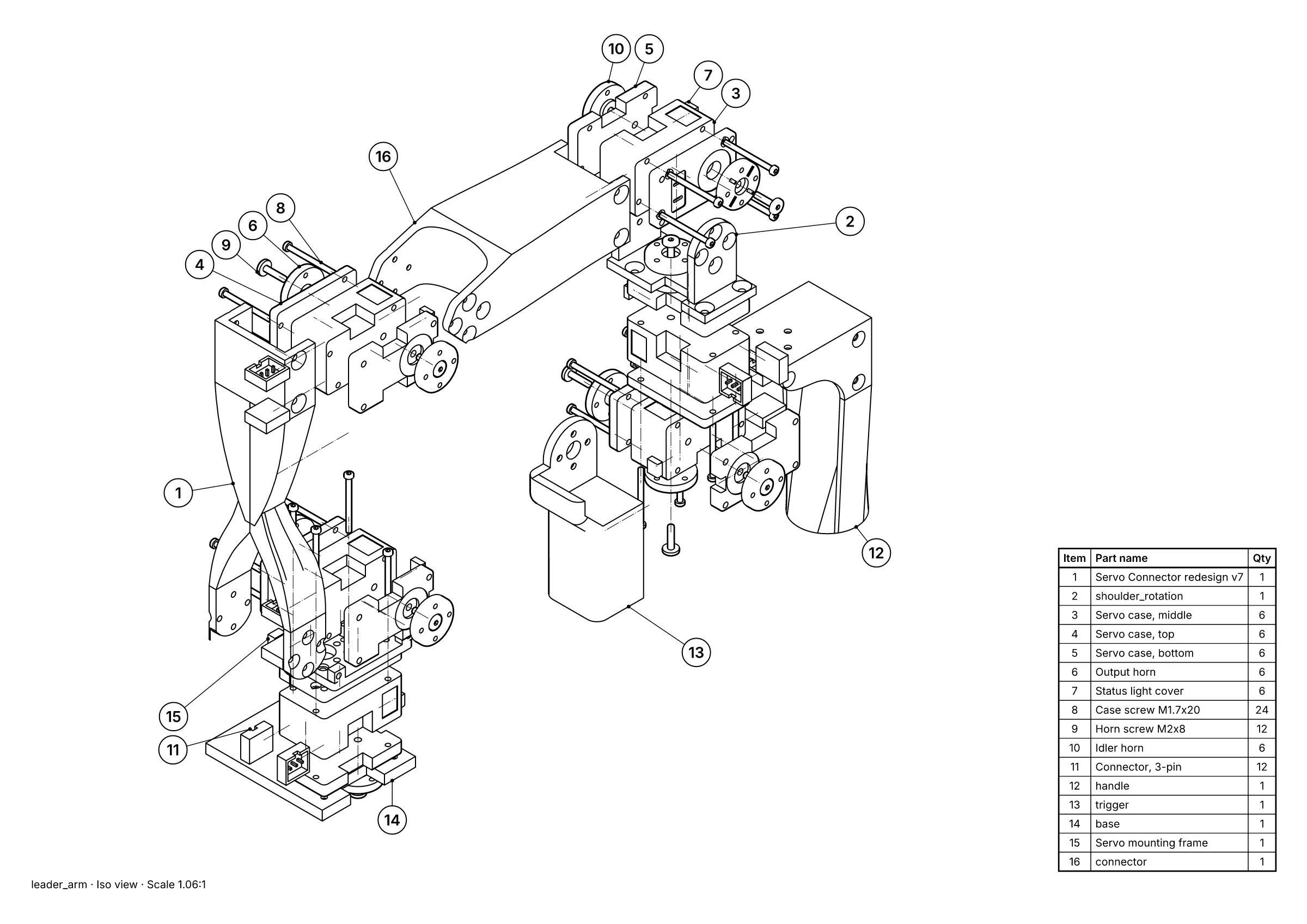 A parts page: exploded view, 16 balloons and the parts list, placed for you.
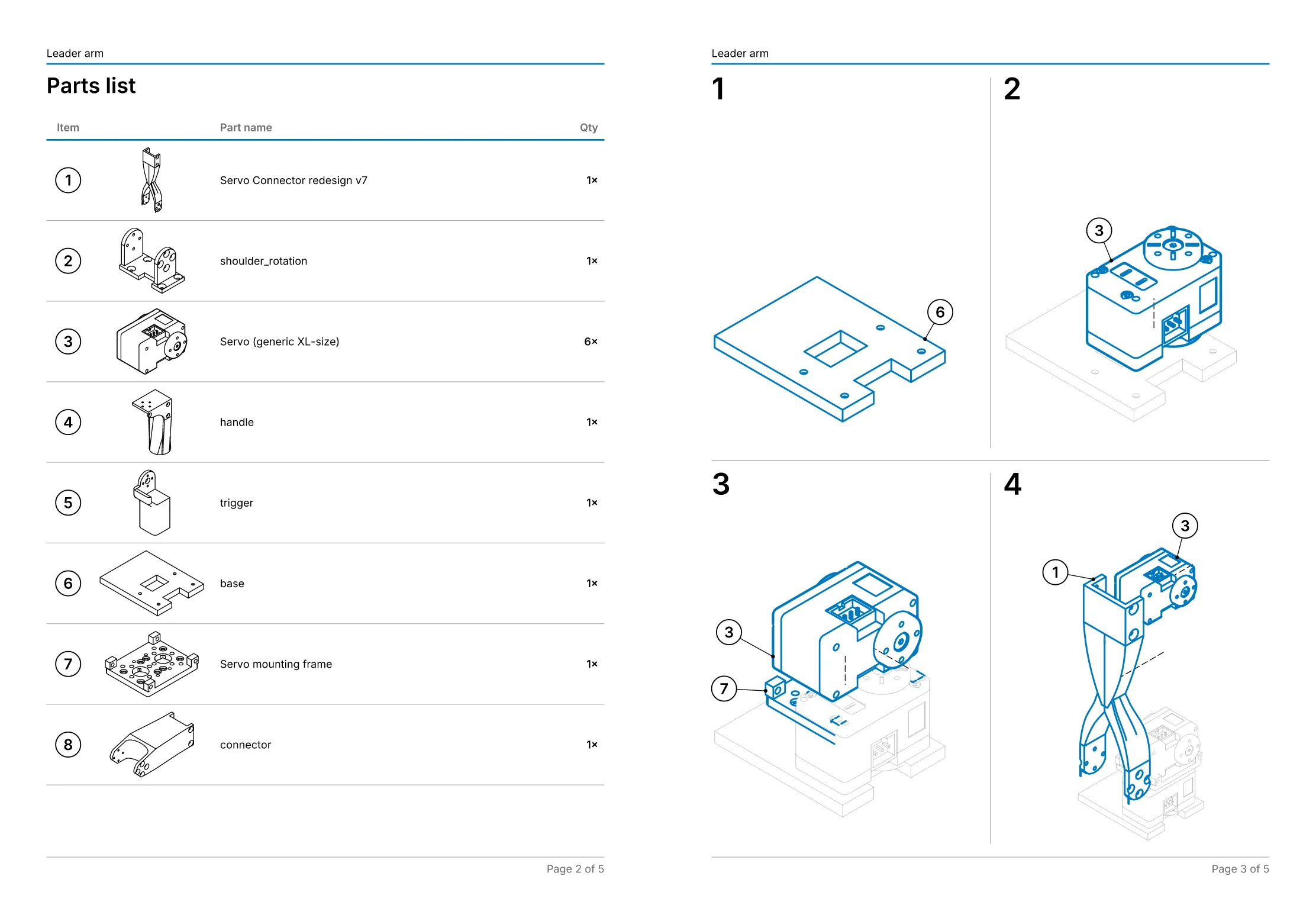 An assembly manual: 11 steps on 5 pages, worked out from the explosion.
- Free, in the studio. Exact hidden-line drawings and exploded views of up to 250 parts, as SVG, DXF, PDF or PNG, with no account.
- Pro, £49 a month per editor. Balloons and parts lists, step-by-step assembly manuals as PDF, your own title block and logo, and drawings that follow the CAD when it changes. Just one job? Project pass: Pro for 30 days, £79 once, with nothing to cancel.
- Or we draw it for you, from £150. Send the STEP file and we draw one view free first, so you can judge it before you pay anything. Drawings done for you.
IGES or STEP?
IGES is the older of the two exchange formats, and many IGES files hold surfaces rather than solids, with little or no assembly structure. If whoever sent the file can export STEP instead, ask for it: a STEP file usually keeps the solids, the part names and the assembly tree, which is what drawings, balloons and parts lists are built from. The STEP viewer opens those the same way.
Your file stays on your computer
The viewer reads the file in your browser, with the Open CASCADE geometry kernel compiled to WebAssembly. It isn't sent to us or to anyone else. Security and your files says exactly what is and isn't sent.
Free, with no account
Viewing needs no sign-up. The free plan keeps one file in your browser at a time; to open another, the studio offers to delete the one that's there.