STL to STEP converter, free online
Convert an STL file to STEP, online, so CAD programs can open it as a solid. It's free, there's no account to make, and the file is never uploaded.
Drop an STL file here
STL, binary or ASCII, up to 200,000 triangles. Converted in this browser: the file is never uploaded.
What else your STEP file can become
Once it's a STEP file, the studio can draw it: exact line drawings and exploded views free, and parts pages and assembly manuals on Pro. These are from the example manual.
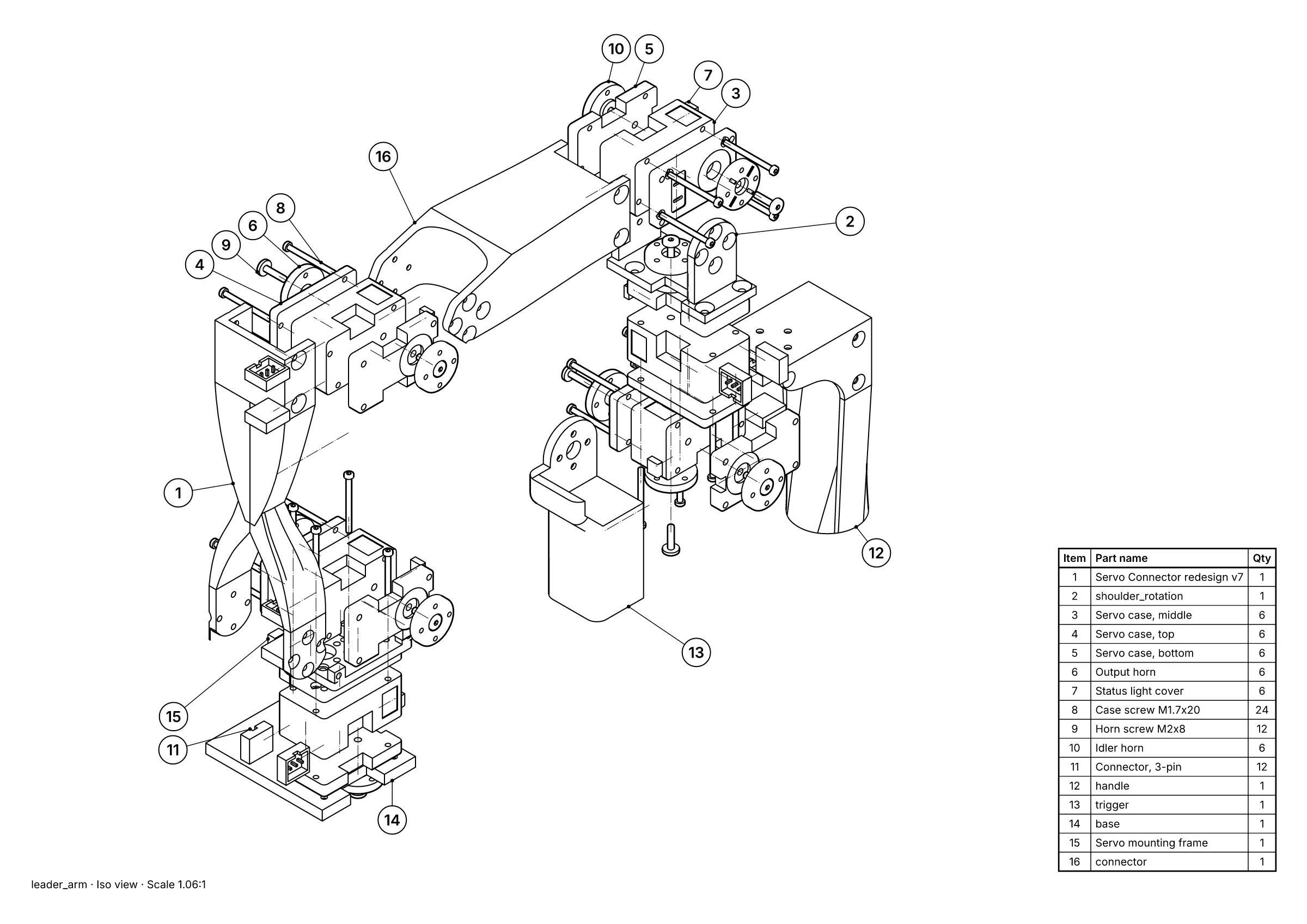 A parts page: exploded view, 16 balloons and the parts list, placed for you.
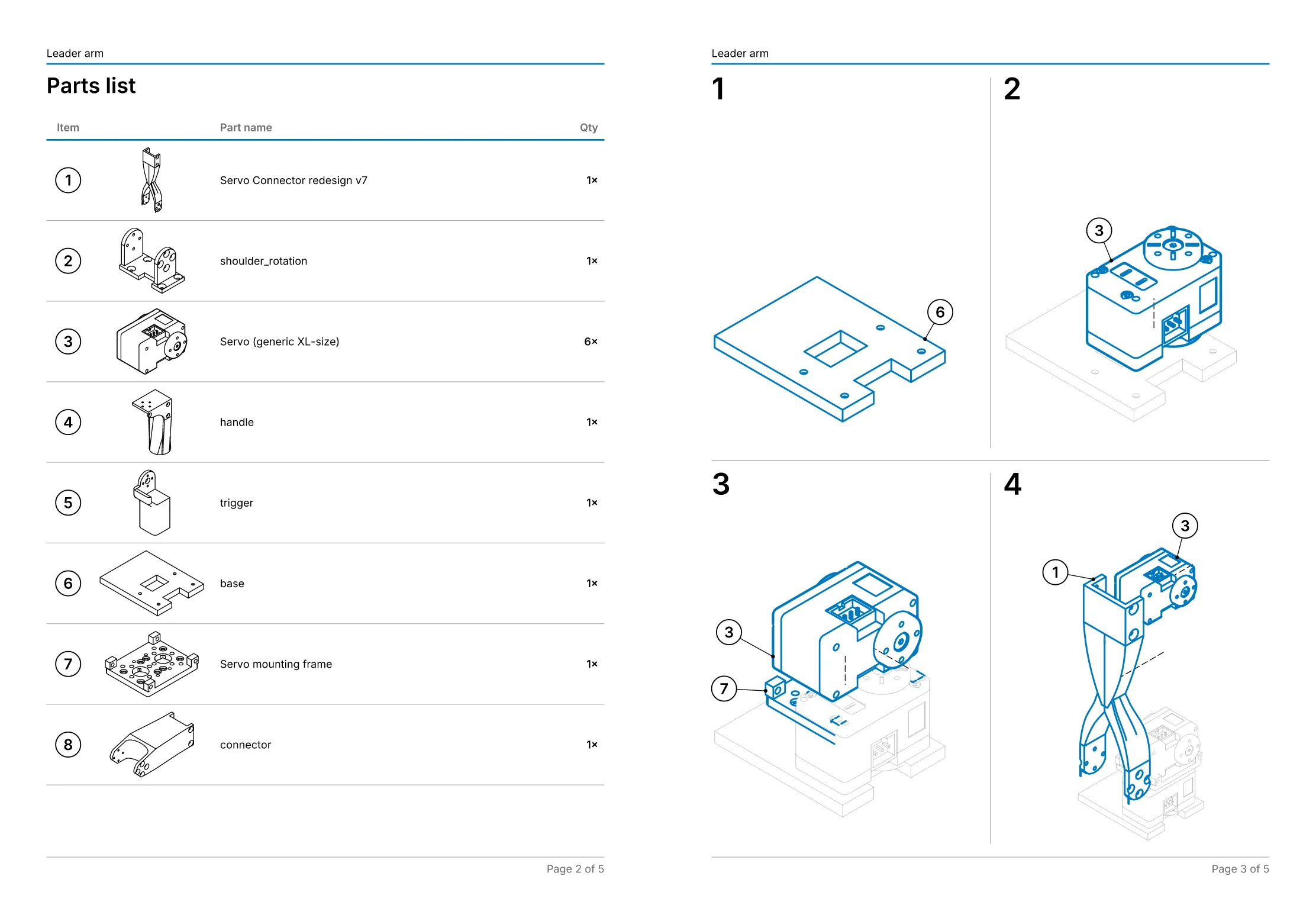 An assembly manual: 11 steps on 5 pages, worked out from the explosion.
- Free, in the studio. Exact hidden-line drawings and exploded views of up to 250 parts, as SVG, DXF, PDF or PNG, with no account.
- Pro, £49 a month per editor. Balloons and parts lists, step-by-step assembly manuals as PDF, your own title block and logo, and drawings that follow the CAD when it changes. Just one job? Project pass: Pro for 30 days, £79 once, with nothing to cancel.
- Or we draw it for you, from £150. Send the STEP file and we draw one view free first, so you can judge it before you pay anything. Drawings done for you.
What you get
- A STEP file (AP214) that SOLIDWORKS, Fusion, Inventor, Onshape, FreeCAD and other CAD programs open.
- Each closed piece of the mesh as a solid, so the CAD program can measure its volume and cut it.
- Flat areas merged into single faces, so a box comes out as six faces, not twelve triangles.
- The sizes as millimetres: STL files carry no units, and most are written in millimetres.
What an STL can't become
An STL file is only triangles. Converting it to STEP keeps the shape exactly as the triangles have it, but it can't recover the true curves the original model had: a cylinder comes out as many narrow flat faces, not one round face. The STEP file is faceted, and you can't change a hole's diameter as you could in the original CAD model.
- A mesh with gaps or holes can't be a solid. Those pieces come out as open surfaces, and the converter says how many.
- Up to 200,000 triangles. A more detailed mesh needs reducing first: most mesh tools have a “decimate” or “simplify” command.
- If you have the original CAD model, export STEP from it instead: that keeps the exact geometry, the part names and the assembly.
The other way
To turn a STEP file into an STL for 3D printing, use the STEP to STL converter. To look at a STEP file, use the STEP viewer.
Your file stays on your computer
The converter builds the STEP file in your browser, with the Open CASCADE geometry kernel compiled to WebAssembly. Neither file is sent to us or to anyone else. Security and your files says exactly what is and isn't sent.
Free, with no account
Converting needs no sign-up. Open the STEP file in the studio and the free plan draws it, up to 250 parts, as SVG, DXF, PDF or PNG. On curved surfaces a drawing of a converted mesh shows the facet edges, because they are real edges in the STEP file.